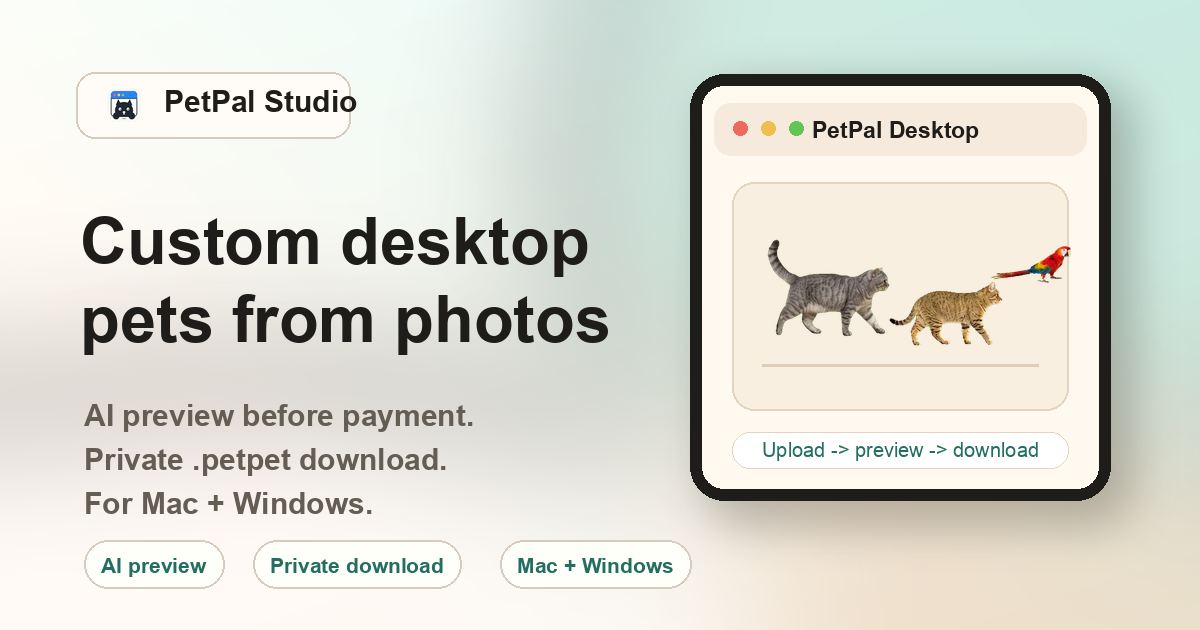
What makes a custom desktop companion different from a generic desktop pet
A generic desktop pet — whether from a character pack, a Shimeji-style sprite set, or a pre-made mascot tool — gives you someone else's design. A custom companion from PetPal Studio starts from a photo of your pet. The AI generates a sprite sheet, animates it, and delivers a .petpet file that renders your specific cat, dog, rabbit, or bird walking across your desktop. The distinction matters most for pet owners who want the emotional connection of seeing their own animal, not a stock breed that looks roughly similar.
Who searches for a custom pet desktop companion
This page is written for people who use the word companion rather than pet or mascot when describing what they want on their desktop. These users often value a calmer, more personal presence — something that stays with them while they work, study, or code — rather than a flashy animated character. Common scenarios include:
Remote workers
Having your pet walk across the screen while you work from home can reduce the feeling of isolation. It is a small reminder of the real animal in the next room.
Students
A familiar companion on the desktop during long study sessions provides a low-distraction comfort without pulling attention away from the task.
Pet memorial & remembrance
Some users upload photos of pets that have passed away, creating a quiet desktop presence that keeps the memory close. The companion sits in the corner of the screen — not in a photo gallery, but as part of the everyday workspace.
Gift buyers
A custom companion from a surprise pet photo can be a thoughtful gift for a partner, family member, or friend. The receiver gets a desktop character that no one else has.
Privacy and ownership of your custom companion
Unlike some desktop pet tools that upload results to a community gallery or shared sprite library, PetPal Studio delivers files through private order links tied to a unique token. The .petpet file is yours to keep — it is not listed publicly, not shared with other users, and not used to build a stock library. The uploaded photo is processed for generation and not retained as part of a public dataset.
How the custom companion workflow works
- Upload: Choose a clear photo of your pet — cat, dog, rabbit, bird, or other animal with a visible body outline.
- Preview: Payment unlocks the generated preview and private package. Choose a clear source photo before checkout.
- Pay once: A single $10 payment unlocks the private download links for the .petpet file and the PetPal Desktop app.
- Import: Open PetPal Desktop on Mac or Windows, use the Import action, and select the downloaded .petpet file. The companion appears on your desktop immediately.
- Keep: The .petpet file stays on your machine. You can re-import it later, move it to a new computer, or keep it as a backup.
FAQ
What is a custom pet desktop companion?
A small animated desktop character generated from a real pet photo and imported into PetPal Desktop.
Which pets are supported?
Cats, dogs, rabbits, birds, and other clear pet photos are supported. The most important factor is a visible body outline — species matters less than photo quality.
Is the result private?
Yes. PetPal Studio delivers paid files through private order links instead of a public gallery. Your uploaded photo is not stored in a shared library.
What makes it custom?
The source image is your own pet photo. The AI generates animation frames from that specific image rather than applying a generic breed template.
Can I use it as a memorial companion?
Yes. The tool works with any clear pet photo. Some users create companions from photos of pets they have lost as a way to keep the memory present in their daily workspace.
Does the companion interact with my work?
No. The desktop companion is a visual overlay — it walks and plays on top of your open windows but does not interact with applications, files, or keyboard input.